在本教程中,你将构建一个使用检索增强生成(RAG)的客户支持聊天机器人,并在开发的每个阶段添加LangSmith可观测性,从早期原型设计到生产部署。 最终,你将了解如何:
  • 追踪单个LLM调用和完整的应用管道。
  • 收集和查询用户反馈。
  • 记录元数据并将其用于过滤和A/B测试。
  • 使用监控仪表板跟踪生产性能。
该应用将检索相关的文档片段并用其回答用户问题。本教程中的检索器是模拟的;在实际应用中,你需要将其替换为向量搜索或类似技术。

前提条件

开始之前,请确保你已具备: 安装所需的包:
pip install langsmith openai

原型设计

从一开始就设置好可观测性可以让你更快地迭代。你可以确切地看到发送给模型的内容、返回的内容以及时间消耗在哪里,而无需添加打印语句或运行调试器。

设置你的环境

在你的shell中设置以下环境变量:
export LANGSMITH_TRACING=true
export LANGSMITH_API_KEY="<your-api-key>"
export OPENAI_API_KEY="<your-openai-api-key>"
要将跟踪数据发送到特定项目,请使用 LANGSMITH_PROJECT 环境变量。如果未设置该变量,LangSmith 将在跟踪数据摄取时自动创建一个默认跟踪项目。
你可能会在其他地方看到这些变量被引用为 LANGCHAIN_*。两者都有效,但 LANGSMITH_TRACINGLANGSMITH_API_KEY 是推荐的名称。

追踪LLM调用

首先追踪你的OpenAI调用,这是模型实际被调用的地方。这让你能立即了解应用发送的提示和模型返回的响应。 使用 wrap_openai(Python)或 wrapOpenAI(TypeScript)包装OpenAI客户端。创建一个名为 app.py(或 app.ts)的文件,包含以下代码:
from openai import OpenAI
from langsmith.wrappers import wrap_openai

client = wrap_openai(OpenAI())

docs = [
    "Acme Cloud supports unlimited users on Enterprise plans. Starter plans are limited to 5 users.",
    "To reset your password, click 'Forgot password' on the login page and follow the instructions sent to your email.",
    "API rate limits are 1,000 requests per hour on the Starter plan and 10,000 requests per hour on Enterprise.",
]

def retriever(query: str) -> list[str]:
    return docs

def support_bot(question: str) -> str:
    context = retriever(question)
    system_message = (
        "You are a helpful customer support agent. "
        "Answer using only the information provided below:\n\n"
        + "\n".join(context)
    )
    response = client.chat.completions.create(
        model="gpt-5.4-mini",
        messages=[
            {"role": "system", "content": system_message},
            {"role": "user", "content": question},
        ],
    )
    return response.choices[0].message.content

if __name__ == "__main__":
    print(support_bot("How many users can I have on the Starter plan?"))
调用 support_bot("How many users can I have on the Starter plan?") 会生成OpenAI调用的追踪。

追踪整个管道

追踪LLM调用很有用,但追踪整个管道(包括检索)可以让你全面了解应用的行为。在主函数上添加 @traceable(Python)或 traceable(TypeScript):
from openai import OpenAI
from langsmith import traceable
from langsmith.wrappers import wrap_openai

client = wrap_openai(OpenAI())

docs = [
    "Acme Cloud supports unlimited users on Enterprise plans. Starter plans are limited to 5 users.",
    "To reset your password, click 'Forgot password' on the login page and follow the instructions sent to your email.",
    "API rate limits are 1,000 requests per hour on the Starter plan and 10,000 requests per hour on Enterprise.",
]

def retriever(query: str) -> list[str]:
    return docs

@traceable
def support_bot(question: str) -> str:
    context = retriever(question)
    system_message = (
        "You are a helpful customer support agent. "
        "Answer using only the information provided below:\n\n"
        + "\n".join(context)
    )
    response = client.chat.completions.create(
        model="gpt-5.4-mini",
        messages=[
            {"role": "system", "content": system_message},
            {"role": "user", "content": question},
        ],
    )
    return response.choices[0].message.content

if __name__ == "__main__":
    print(support_bot("How many users can I have on the Starter plan?"))
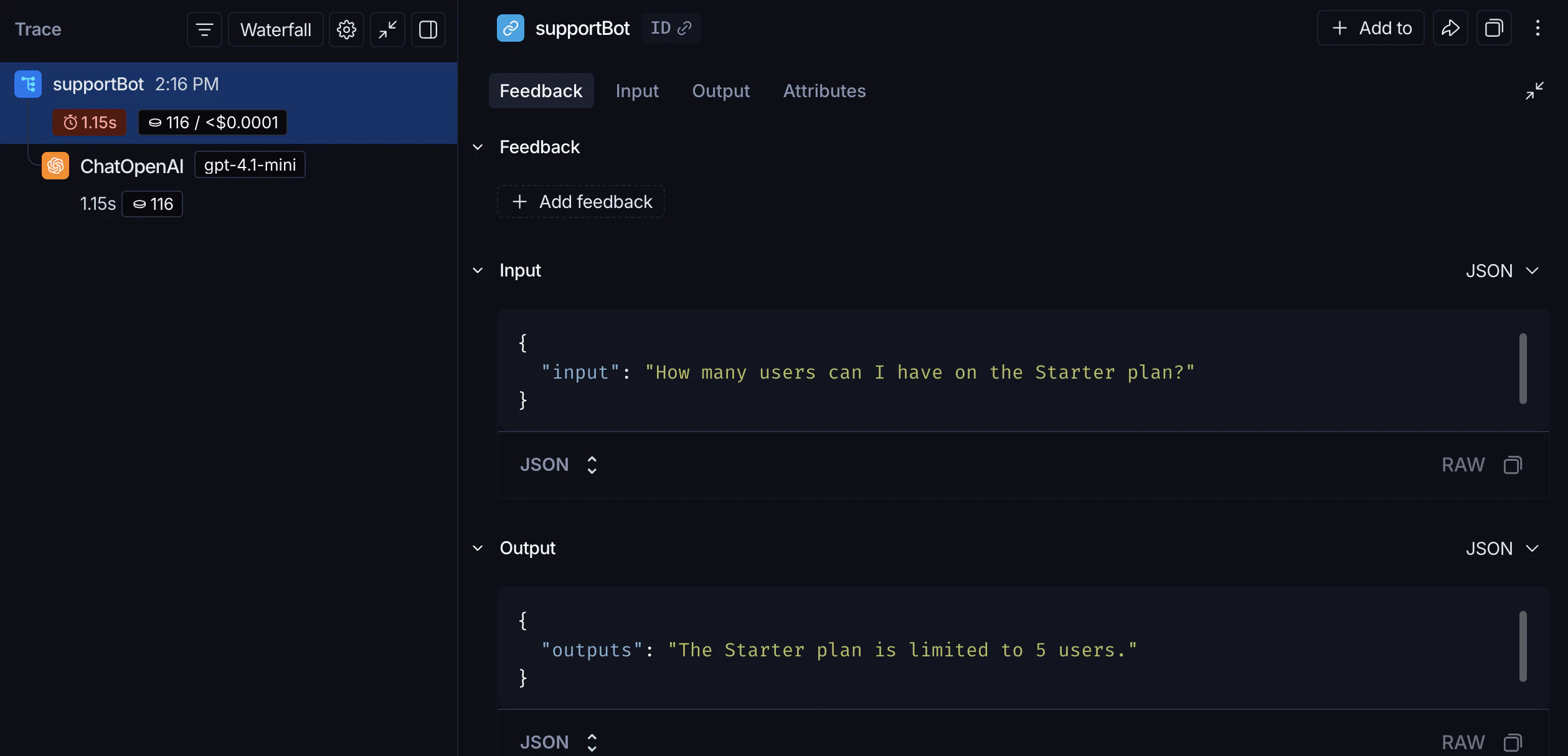
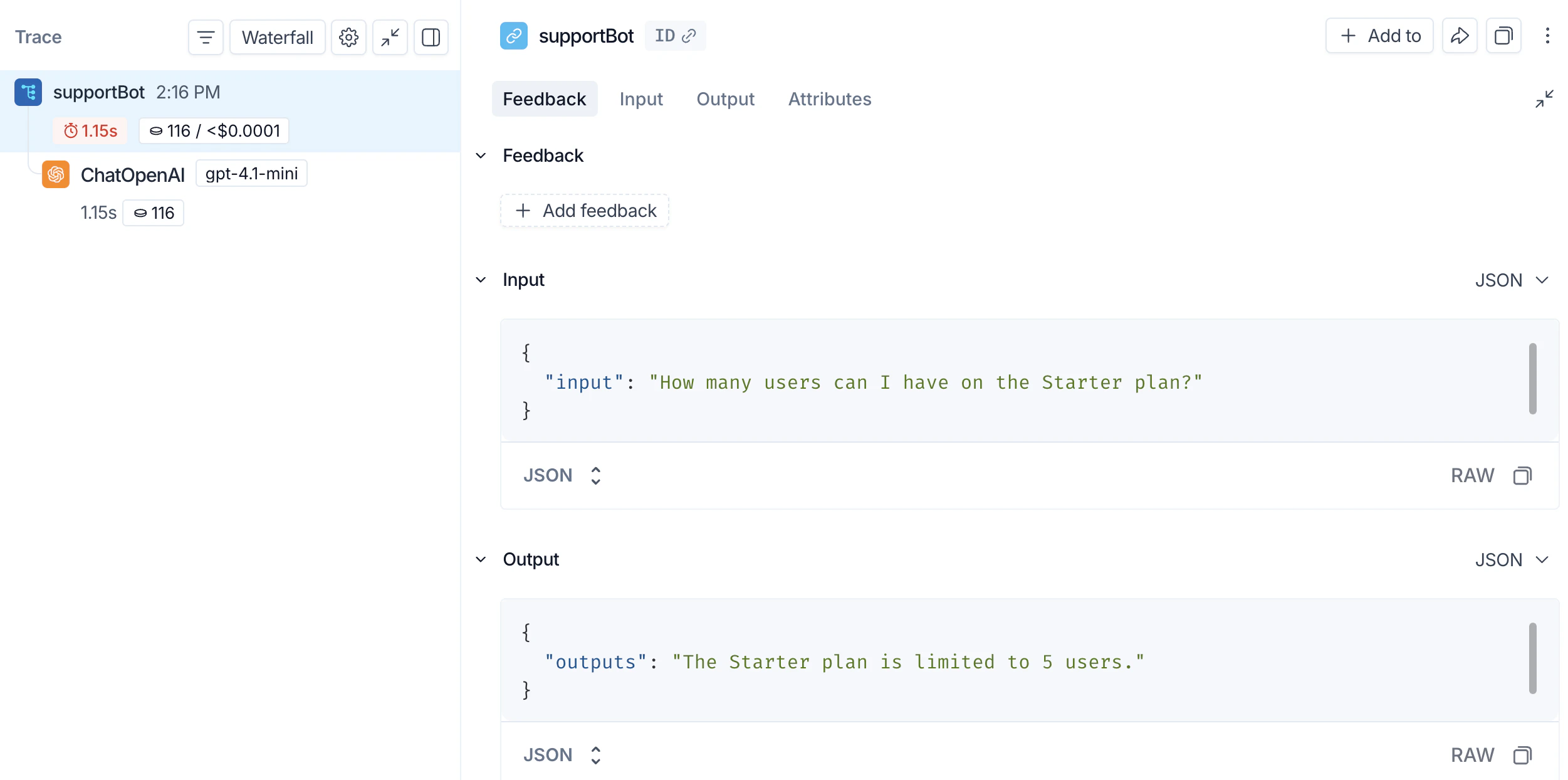
调用 support_bot("How many users can I have on the Starter plan?") 现在会生成完整RAG管道的追踪。 LangSmith UI显示一个追踪,其中包含外部应用span和嵌套的LLM调用span。
从终端检查你的追踪

如果你安装了 LangSmith CLI,可以列出项目的最近追踪而无需打开UI:
langsmith trace list --project <your-project> --limit 5
要查看特定追踪的完整运行层次结构和输入/输出:
langsmith trace get <trace-id> --full

测试阶段

一旦你的应用在原型设计阶段运行良好,你就会将其发布给一小部分真实用户。在这个阶段,你通常不知道用户将如何与你的应用交互,因此你需要更丰富的可观测性。你不仅想了解应用做了什么,还想了解用户对其的反应。

收集反馈

用户反馈 链接到特定的追踪,可以让你识别哪些响应是有帮助的或无帮助的。更新上一步中的 app.py(或 app.ts),为每次调用添加运行ID,并在之后附加分数:
from openai import OpenAI
from langsmith import traceable, Client, uuid7  
from langsmith.wrappers import wrap_openai

client = wrap_openai(OpenAI())

docs = [
    "Acme Cloud supports unlimited users on Enterprise plans. Starter plans are limited to 5 users.",
    "To reset your password, click 'Forgot password' on the login page and follow the instructions sent to your email.",
    "API rate limits are 1,000 requests per hour on the Starter plan and 10,000 requests per hour on Enterprise.",
]

def retriever(query: str) -> list[str]:
    return docs

@traceable
def support_bot(question: str) -> str:
    context = retriever(question)
    system_message = (
        "You are a helpful customer support agent. "
        "Answer using only the information provided below:\n\n"
        + "\n".join(context)
    )
    response = client.chat.completions.create(
        model="gpt-5.4-mini",
        messages=[
            {"role": "system", "content": system_message},
            {"role": "user", "content": question},
        ],
    )
    return response.choices[0].message.content

if __name__ == "__main__":
    run_id = str(uuid7())
    support_bot(
        "How many users can I have on the Starter plan?",
        langsmith_extra={"run_id": run_id},
    )
    ls_client = Client()
    ls_client.create_feedback(run_id, key="user-score", score=1.0)
在生产环境中,这两部分会位于不同的位置:带有 run_idsupport_bot 调用保留在你的应用中,而 create_feedback 则移到接收用户反馈的端点(例如,/feedback API路由)。run_id 从一个传递到另一个,以便反馈可以链接到正确的追踪。
当你在UI中检查运行时,反馈会出现在 反馈 标签页中。然后,你可以使用 运行 表中的过滤控件按反馈分数过滤运行。

记录元数据

元数据 允许你用对过滤和比较有用的属性标记运行。例如,使用了哪个模型版本或哪个用户发起了请求。 以下示例追踪检索器(使用 run_type="retriever")和主函数(使用 metadata 属性记录模型名称):
from openai import OpenAI
from langsmith import traceable
from langsmith.wrappers import wrap_openai

client = wrap_openai(OpenAI())

docs = [
    "Acme Cloud supports unlimited users on Enterprise plans. Starter plans are limited to 5 users.",
    "To reset your password, click 'Forgot password' on the login page and follow the instructions sent to your email.",
    "API rate limits are 1,000 requests per hour on the Starter plan and 10,000 requests per hour on Enterprise.",
]

@traceable(run_type="retriever")
def retriever(query: str) -> list[str]:
    return docs

@traceable(metadata={"llm": "gpt-5.4-mini"})
def support_bot(question: str) -> str:
    context = retriever(question)
    system_message = (
        "You are a helpful customer support agent. "
        "Answer using only the information provided below:\n\n"
        + "\n".join(context)
    )
    response = client.chat.completions.create(
        model="gpt-5.4-mini",
        messages=[
            {"role": "system", "content": system_message},
            {"role": "user", "content": question},
        ],
    )
    return response.choices[0].message.content

if __name__ == "__main__":
    support_bot("How many users can I have on the Starter plan?")
两个元数据值都会出现在追踪上。你可以使用 运行 表中的过滤控件按元数据过滤运行。

生产环境

有了强大的可观测性,你就可以自信地发布到生产环境。在生产环境中,你有显著更多的流量,无法单独检查每个追踪。LangSmith提供监控工具来帮助你理解聚合行为,并在出现问题时深入探究。

监控

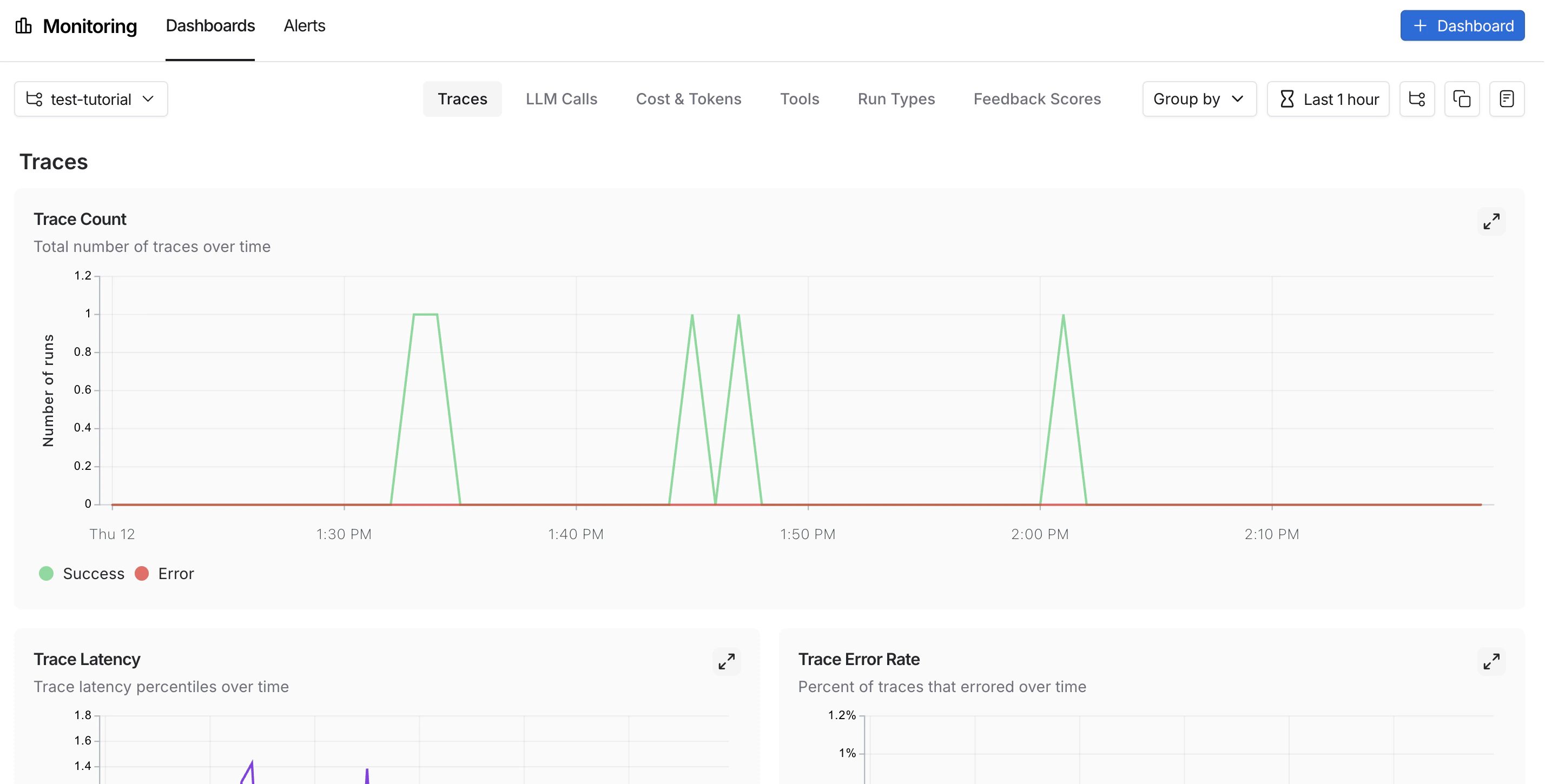
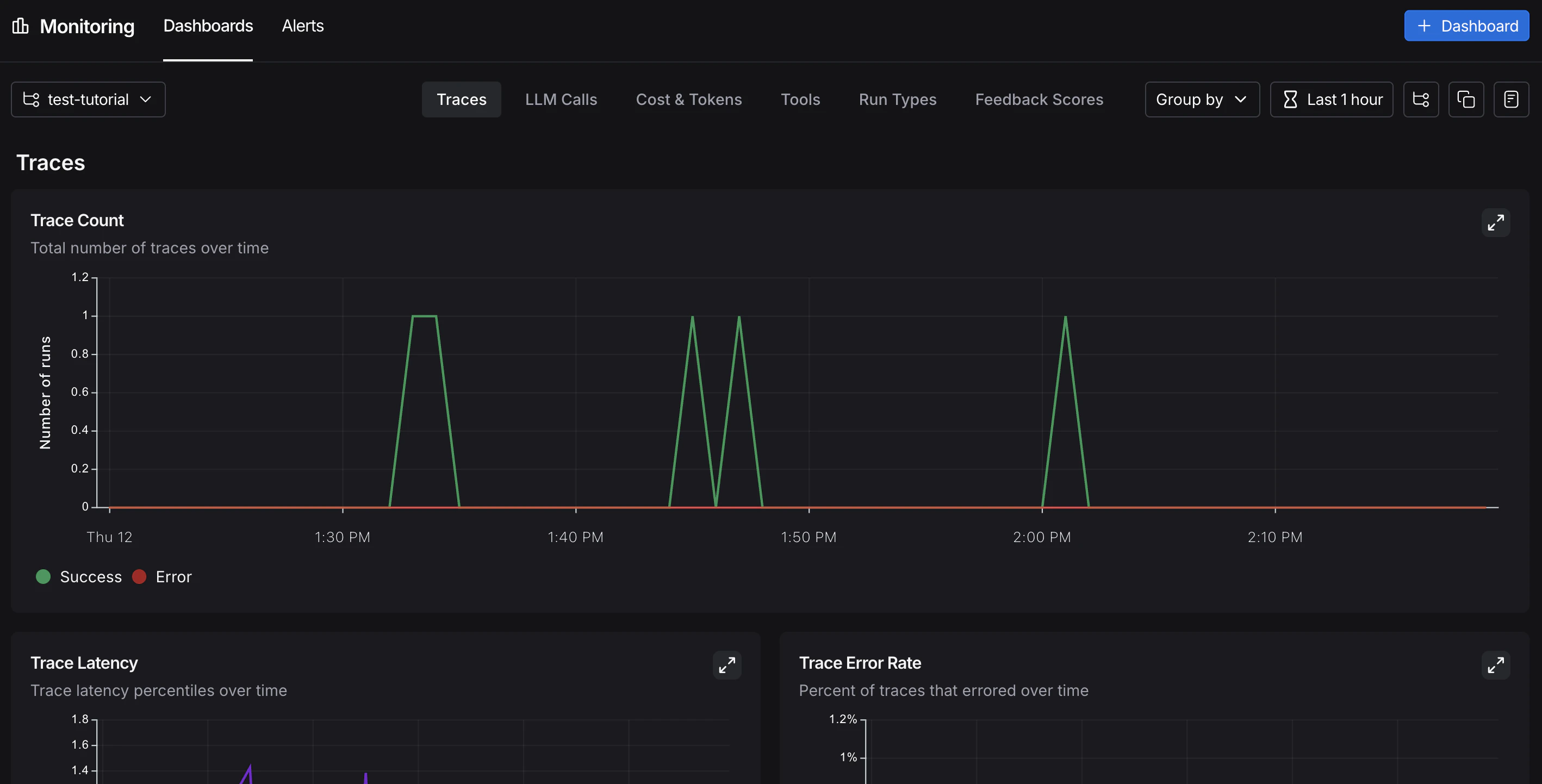
在UI侧边栏中,选择 监控,然后从左上角的下拉菜单中选择一个追踪项目。图表显示项目随时间的关键指标,包括追踪数量、延迟、错误率、反馈分数和成本。有关可用指标和图表配置的更多信息,请参阅 仪表板 LangSmith UI显示监控页面,其中包含追踪数量图表和可用标签页。

A/B测试

分组功能要求给定的元数据键至少有两个不同的值。
因为你一直在记录 llm 元数据属性,所以你可以按该属性对监控图表进行分组,以比较模型随时间的性能。从UI侧边栏的 监控 中,点击左上角的 分组依据,从下拉菜单中选择 元数据,然后选择 llm。图表会更新以显示按该属性分组的结果。有关分组和自定义图表的更多信息,请参阅 仪表板

深入探究

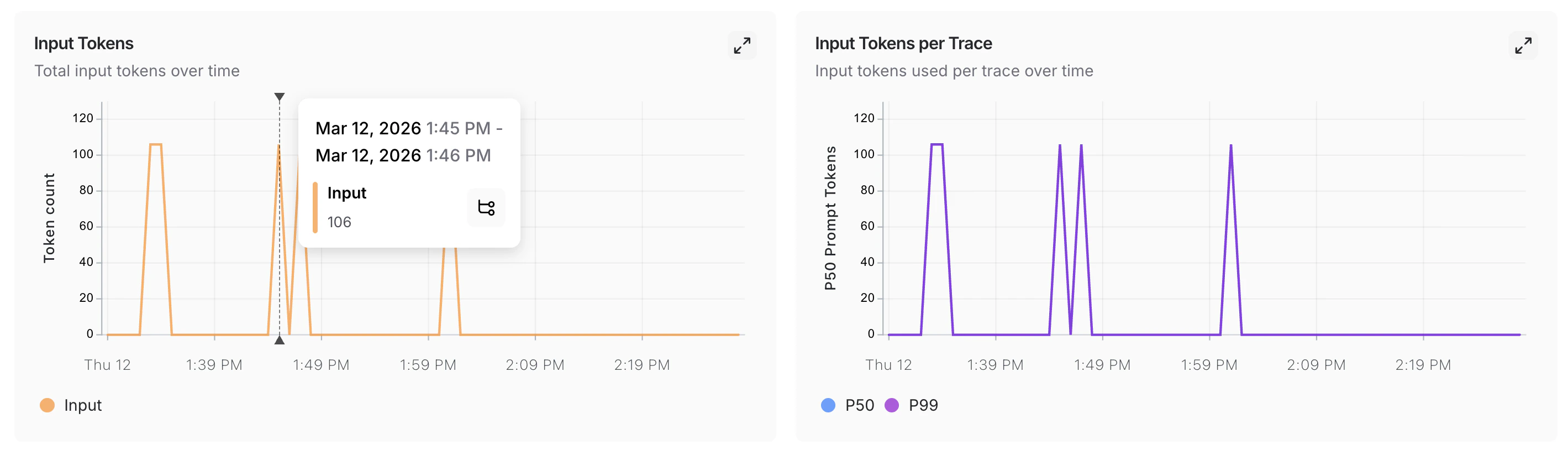
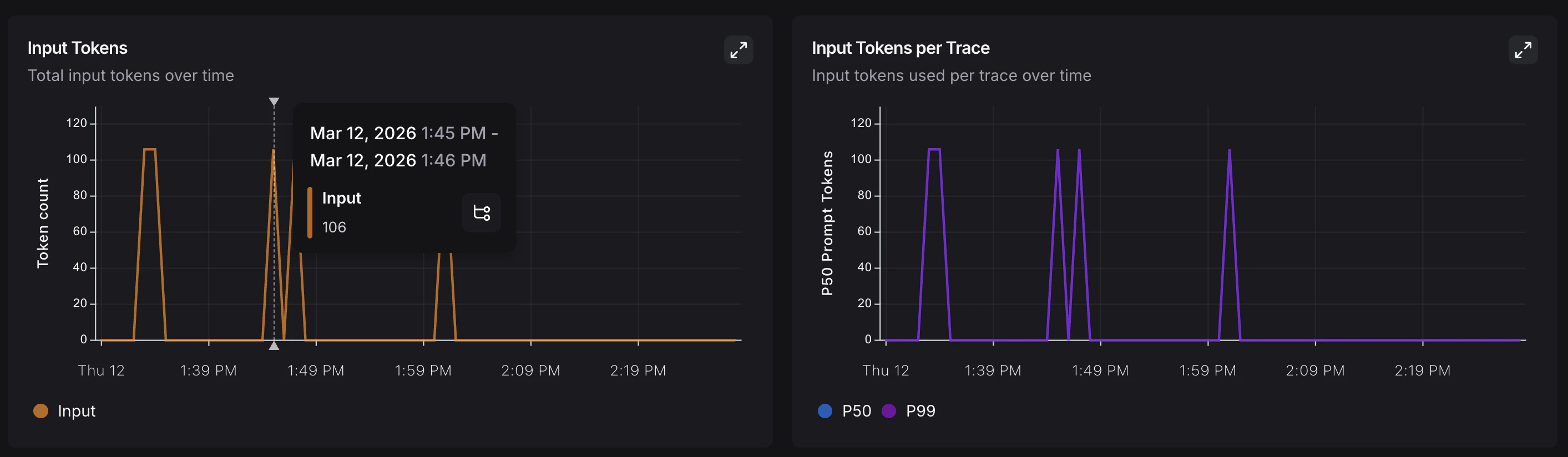
当监控图表显示异常时,点击一个数据点以固定工具提示,然后点击指标名称(例如,输入)跳转到该时间窗口的过滤运行表。有关搜索和过滤运行的更多信息,请参阅 过滤追踪 LangSmith UI显示监控页面,其中输入令牌图表上的特定点被高亮显示。

结论

在本教程中,你为应用在其整个开发生命周期中添加了LangSmith可观测性。在原型设计阶段帮助你快速迭代的相同追踪设置,在生产环境中将继续提供价值。你将能够查看单个追踪和聚合性能趋势。 更多信息,请参阅: