> ## Documentation Index
> Fetch the complete documentation index at: https://cndoc-langchain.site/llms.txt
> Use this file to discover all available pages before exploring further.

# 升级安装

<Warning>
  官方不支持降级操作。LangSmith 的升级可能包含数据库迁移和其他不向后兼容的更改。如果您需要回滚到之前的版本，请联系 [support](mailto:support@langchain.dev) 获取指导。
</Warning>

如果您尚未添加该仓库，请运行以下命令进行添加：

```bash theme={"theme":{"light":"catppuccin-latte","dark":"catppuccin-mocha"}}
helm repo add langchain https://langchain-ai.github.io/helm/
```

更新本地的 helm 仓库

```bash theme={"theme":{"light":"catppuccin-latte","dark":"catppuccin-mocha"}}
helm repo update
```

根据新版本所需的任何更新，更新您的 helm chart 配置文件。这些更新将在新版本的发布说明中详细说明。

运行以下命令来升级 chart（将 `version` 替换为您要升级到的版本）：

<Note>
  如果您使用的是非默认命名空间，则需要在 `helm` 和 `kubectl` 命令中通过 `-n <namespace` 标志来指定命名空间。
</Note>

查找 chart 的最新版本。您可以在 [LangSmith Helm Chart GitHub 仓库](https://github.com/langchain-ai/helm/releases) 中找到，或运行以下命令：

```bash theme={"theme":{"light":"catppuccin-latte","dark":"catppuccin-mocha"}}
helm search repo langchain/langsmith --versions
```

您应该会看到类似以下的输出：

```bash theme={"theme":{"light":"catppuccin-latte","dark":"catppuccin-mocha"}}
langchain/langsmith     0.10.14         0.10.32         Helm chart to deploy the langsmith application ...
langchain/langsmith     0.10.13         0.10.32         Helm chart to deploy the langsmith application ...
langchain/langsmith     0.10.12         0.10.32         Helm chart to deploy the langsmith application ...
langchain/langsmith     0.10.11         0.10.29         Helm chart to deploy the langsmith application ...
langchain/langsmith     0.10.10         0.10.29         Helm chart to deploy the langsmith application ...
langchain/langsmith     0.10.9          0.10.29         Helm chart to deploy the langsmith application ...
```

选择您要升级到的版本（通常建议使用最新版本）并记下版本号：

```bash theme={"theme":{"light":"catppuccin-latte","dark":"catppuccin-mocha"}}
helm upgrade <release-name> langchain/langsmith --version <version> --values <path-to-values-file> --wait --debug
```

验证升级是否成功：

```bash theme={"theme":{"light":"catppuccin-latte","dark":"catppuccin-mocha"}}
helm status <release-name>
```

所有 Pod 都应处于 `Running` 状态。验证 ClickHouse 正在运行，并且两个 `migrations` 作业都已完成。

```bash theme={"theme":{"light":"catppuccin-latte","dark":"catppuccin-mocha"}}
kubectl get pods
NAME                                     READY   STATUS      RESTARTS   AGE
langsmith-backend-95b6d54f5-gz48b        1/1     Running     0          15h
langsmith-pg-migrations-d2z6k            0/1     Completed   0          5h48m
langsmith-ch-migrations-gasvk            0/1     Completed   0          5h48m
langsmith-clickhouse-0                   1/1     Running     0          26h
langsmith-frontend-84687d9d45-6cg4r      1/1     Running     0          15h
langsmith-hub-backend-66ffb75fb4-qg6kl   1/1     Running     0          15h
langsmith-playground-85b444d8f7-pl589    1/1     Running     0          15h
langsmith-queue-d58cb64f7-87d68          1/1     Running     0          15h
```

## 验证您的部署

1. 运行 `kubectl get services`

   输出将类似于：

   ```bash theme={"theme":{"light":"catppuccin-latte","dark":"catppuccin-mocha"}}
   NAME                         TYPE           CLUSTER-IP       EXTERNAL-IP     PORT(S)                      AGE
   kubernetes                   ClusterIP      172.20.0.1       <none>          443/TCP                      27d
   langsmith-backend            ClusterIP      172.20.22.34     <none>          1984/TCP                     21d
   langsmith-clickhouse         ClusterIP      172.20.117.62    <none>          8123/TCP,9000/TCP            21d
   langsmith-frontend           LoadBalancer   172.20.218.30    <external ip>   80:30093/TCP,443:31130/TCP   21d
   langsmith-platform-backend   ClusterIP      172.20.232.183   <none>          1986/TCP                     21d
   langsmith-playground         ClusterIP      172.20.167.132   <none>          3001/TCP                     21d
   langsmith-postgres           ClusterIP      172.20.59.63     <none>          5432/TCP                     21d
   langsmith-redis              ClusterIP      172.20.229.98    <none>          6379/TCP                     20d
   ```

2. 使用 curl 访问 `langsmith-frontend` 服务的外部 IP：

   ```bash theme={"theme":{"light":"catppuccin-latte","dark":"catppuccin-mocha"}}
   curl <external ip>/api/info
   {"version":"0.5.7","license_expiration_time":"2033-05-20T20:08:06","batch_ingest_config":{"scale_up_qsize_trigger":1000,"scale_up_nthreads_limit":16,"scale_down_nempty_trigger":4,"size_limit":100,"size_limit_bytes":20971520}}
   ```

   检查版本是否与您升级到的版本匹配。

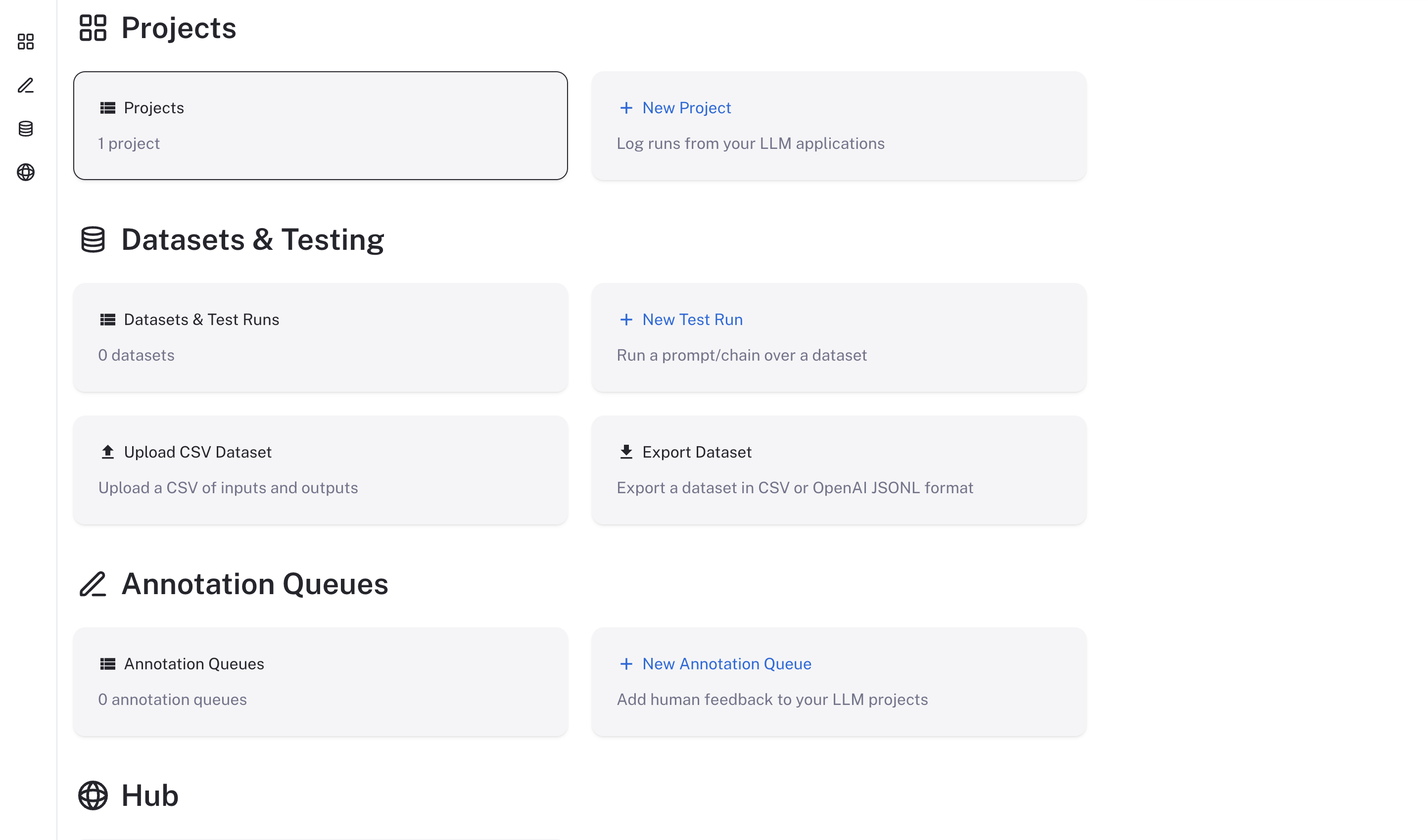
3. 在浏览器中访问 `langsmith-frontend` 服务的外部 IP。LangSmith UI 应该可见且可操作。
   <img src="https://mintcdn.com/other-405835d4/X4LKQZjW6RjHveuz/langsmith/images/langsmith-ui.png?fit=max&auto=format&n=X4LKQZjW6RjHveuz&q=85&s=f29d609c35f8f89ea30ca999db9800d1" alt="LangSmith UI" width="2886" height="1698" data-path="langsmith/images/langsmith-ui.png" />

***

<div className="source-links">
  <Callout icon="terminal-2">
    [将这些文档](/use-these-docs) 通过 MCP 连接到 Claude、VSCode 等，以获取实时答案。
  </Callout>

  <Callout icon="edit">
    [在 GitHub 上编辑此页面](https://github.com/langchain-ai/docs/edit/main/src/langsmith/self-host-upgrades.mdx) 或 [提交问题](https://github.com/langchain-ai/docs/issues/new/choose)。
  </Callout>
</div>
