> ## Documentation Index
> Fetch the complete documentation index at: https://cndoc-langchain.site/llms.txt
> Use this file to discover all available pages before exploring further.
# 如何在单个评估器中返回多个分数
有时,自定义评估器或摘要评估器返回多个指标会很有用。例如,如果你有多个指标由 LLM 裁判生成,你可以通过一次 LLM 调用生成多个指标来节省时间和成本,而不是进行多次 LLM 调用。
要使用 Python SDK 返回多个分数,只需返回一个字典/对象列表,形式如下:
```python theme={"theme":{"light":"catppuccin-latte","dark":"catppuccin-mocha"}}
[
# 'key' 是指标名称
# 'score' 是数值指标的值
{"key": string, "score": number},
# 'value' 是分类指标的值
{"key": string, "value": string},
... # 你可以记录任意多个
]
```
要使用 JS/TS SDK 实现此功能,请返回一个带有 'results' 键的对象,然后是上述形式的列表
```typescript theme={"theme":{"light":"catppuccin-latte","dark":"catppuccin-mocha"}}
{results: [{ key: string, score: number }, ...]};
```
这些字典中的每一个都可以包含[反馈字段](/langsmith/feedback-data-format)的任意或全部;有关更多信息,请查看链接的文档。
示例:
* Python:需要 `langsmith>=0.2.0`
* TypeScript:`langsmith@0.1.32` 及更高版本支持多个分数
```python Python theme={"theme":{"light":"catppuccin-latte","dark":"catppuccin-mocha"}}
def multiple_scores(outputs: dict, reference_outputs: dict) -> list[dict]:
# 替换为真实的评估逻辑。
precision = 0.8
recall = 0.9
f1 = 0.85
return [
{"key": "precision", "score": precision},
{"key": "recall", "score": recall},
{"key": "f1", "score": f1},
]
```
```typescript TypeScript theme={"theme":{"light":"catppuccin-latte","dark":"catppuccin-mocha"}}
import type { Run, Example } from "langsmith/schemas";
function multipleScores(rootRun: Run, example: Example) {
// 你的评估逻辑在这里
return {
results: [
{ key: "precision", score: 0.8 },
{ key: "recall", score: 0.9 },
{ key: "f1", score: 0.85 },
],
};
}
```
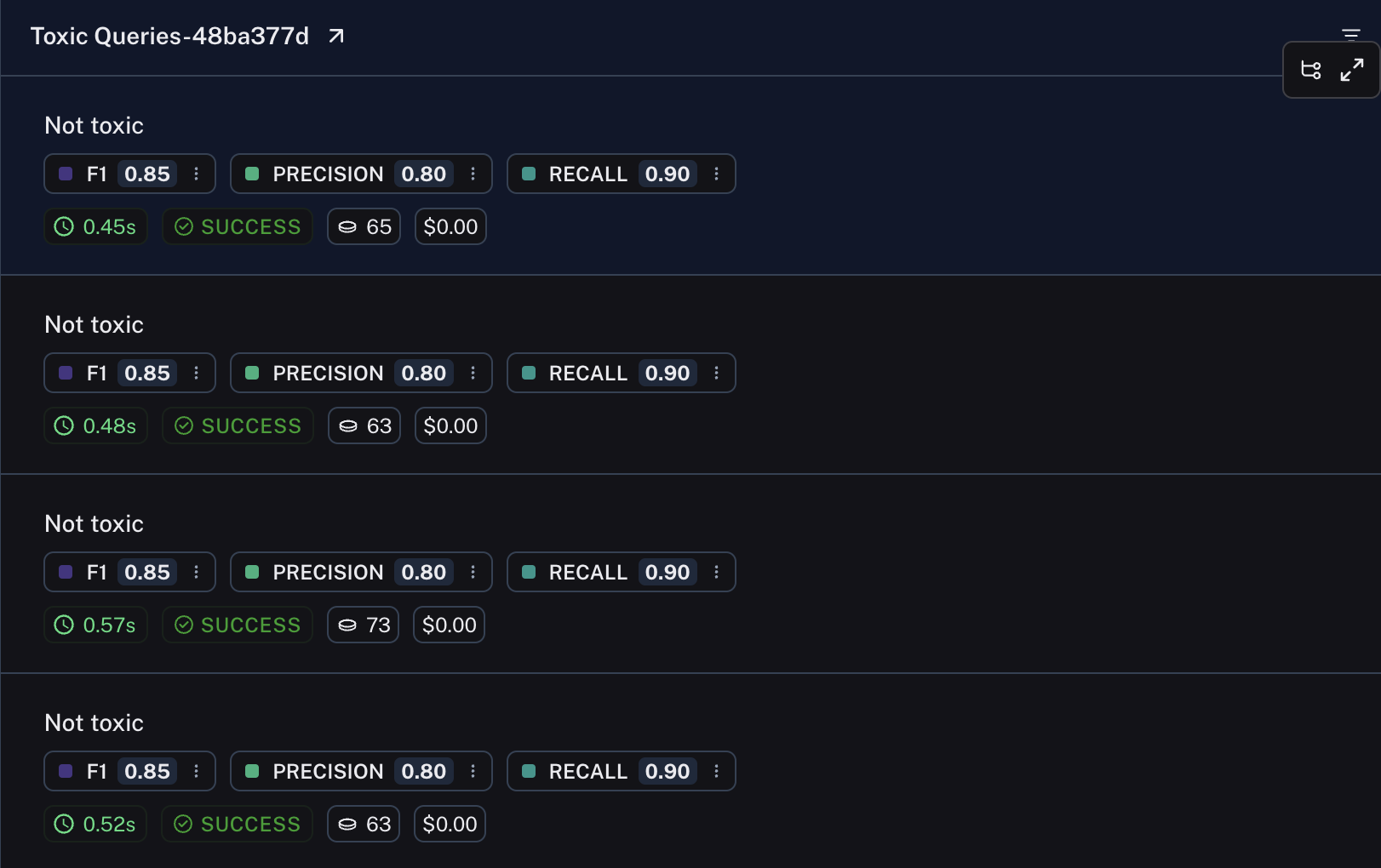
生成的实验中的行将显示每个分数。
 ## 相关内容
* [返回分类指标与数值指标](/langsmith/metric-type)
***
## 相关内容
* [返回分类指标与数值指标](/langsmith/metric-type)
***
[将这些文档](/use-these-docs)通过 MCP 连接到 Claude、VSCode 等,以获取实时答案。
[在 GitHub 上编辑此页面](https://github.com/langchain-ai/docs/edit/main/src/langsmith/multiple-scores.mdx) 或 [提交问题](https://github.com/langchain-ai/docs/issues/new/choose)。