> ## Documentation Index
> Fetch the complete documentation index at: https://cndoc-langchain.site/llms.txt
> Use this file to discover all available pages before exploring further.

# LangSmith 文档

**LangSmith 是一个与框架无关的平台，用于构建、调试和部署 AI 代理与 LLM 应用程序。** 在一个地方，与您的代理技术栈一起，跟踪请求、评估输出、测试提示词并管理部署。

## 开始使用

<Steps>
  <Step title="创建账户" icon="user-plus">
    在 [smith.langchain.com](https://smith.langchain.com) 注册（无需信用卡）。
    您可以使用 **Google**、**GitHub** 或 **电子邮件** 登录。
  </Step>

  <Step title="创建 API 密钥" icon="key">
    前往您的 [设置页面](https://smith.langchain.com/settings) → **API 密钥** → **创建 API 密钥**。
    复制密钥并安全保存。
  </Step>

  <Step title="选择您的集成" icon="plug">
    LangSmith 可与许多框架和提供商配合使用。浏览 [可用集成](/langsmith/integrations) 以连接您的技术栈。
  </Step>
</Steps>

一旦您的账户和 API 密钥准备就绪，选择一个快速入门指南开始使用 LangSmith 进行构建：

<Columns cols={3}>
  <Card title="可观测性" icon="https://mintcdn.com/other-405835d4/zfoblcQReEYa-is2/images/brand/observability-icon-dark.png?fit=max&auto=format&n=zfoblcQReEYa-is2&q=85&s=a5ea23e3bf9ca95c33f73f9b2c93339d" href="/langsmith/observability-quickstart" arrow="true" cta="开始跟踪" width="200" height="200" data-path="images/brand/observability-icon-dark.png">
    洞察应用程序执行的每一步，以更快地调试并提高可靠性。
  </Card>

  <Card title="评估" icon="https://mintcdn.com/other-405835d4/zfoblcQReEYa-is2/images/brand/evaluation-icon-dark.png?fit=max&auto=format&n=zfoblcQReEYa-is2&q=85&s=cad82ca2a338aef0fda534c4b2e4a6f0" href="/langsmith/evaluation-quickstart" arrow="true" cta="评估您的应用" width="200" height="200" data-path="images/brand/evaluation-icon-dark.png">
    随时间衡量和跟踪质量，确保您的 AI 应用程序一致且值得信赖。
  </Card>

  <Card title="部署" icon="https://mintcdn.com/other-405835d4/zfoblcQReEYa-is2/images/brand/deployment-icon-dark.png?fit=max&auto=format&n=zfoblcQReEYa-is2&q=85&s=3b88c161a1ecff6713c623bfa4f2d6f0" href="/langsmith/deployment" arrow="true" cta="部署您的代理" width="200" height="200" data-path="images/brand/deployment-icon-dark.png">
    将您的代理部署为代理服务器，准备好在生产环境中扩展。
  </Card>
</Columns>

## 更多构建方式

<Columns cols={4}>
  <Card title="Fleet" icon="https://mintcdn.com/other-405835d4/agS8-xZoA1Gortud/images/brand/fleet-icon-dark.png?fit=max&auto=format&n=agS8-xZoA1Gortud&q=85&s=fa6221e4ce10b43a85b44b00e59f9371" href="/langsmith/fleet/index" arrow="true" cta="构建代理" width="203" height="203" data-path="images/brand/fleet-icon-dark.png">
    无需编写代码即可可视化地设计和部署 AI 代理。
  </Card>

  <Card title="提示词工程" icon="https://mintcdn.com/other-405835d4/zfoblcQReEYa-is2/images/brand/prompt-engineering-icon.png?fit=max&auto=format&n=zfoblcQReEYa-is2&q=85&s=a3a03c2e736306d45b6bf55d30f1f21c" href="/langsmith/prompt-engineering-quickstart" arrow="true" cta="测试您的提示词" width="200" height="200" data-path="images/brand/prompt-engineering-icon.png">
    利用内置的版本控制和协作功能迭代提示词，更快地交付改进。
  </Card>

  <Card title="LangSmith CLI" icon="terminal-2" href="/langsmith/langsmith-cli" arrow="true" cta="使用 CLI">
    从终端查询和管理跟踪、数据集、实验等。
  </Card>

  <Card title="Studio" icon="window" href="/langsmith/quick-start-studio" arrow="true" cta="使用 Studio 开发">
    使用可视化界面端到端地设计、测试和完善应用程序。
  </Card>
</Columns>

## 基础设施

<Columns cols={2}>
  <Card title="平台设置" href="/langsmith/platform-setup" icon="server-2" arrow="true" cta="选择如何设置 LangSmith">
    在托管云、自托管环境或混合环境中使用 LangSmith，以满足您的基础设施和合规需求。
  </Card>

  <Card icon="shield-lock" title="安全与合规" href="https://trust.langchain.com/" arrow="true" cta="访问信任中心">
    LangSmith 符合 HIPAA、SOC 2 Type 2 和 GDPR 标准，满足最高的数据安全和隐私要求。[与我们的团队会面](https://www.langchain.com/contact-sales) 了解更多信息，或访问我们的 [信任中心](https://trust.langchain.com/)。
  </Card>
</Columns>

## 工作流程

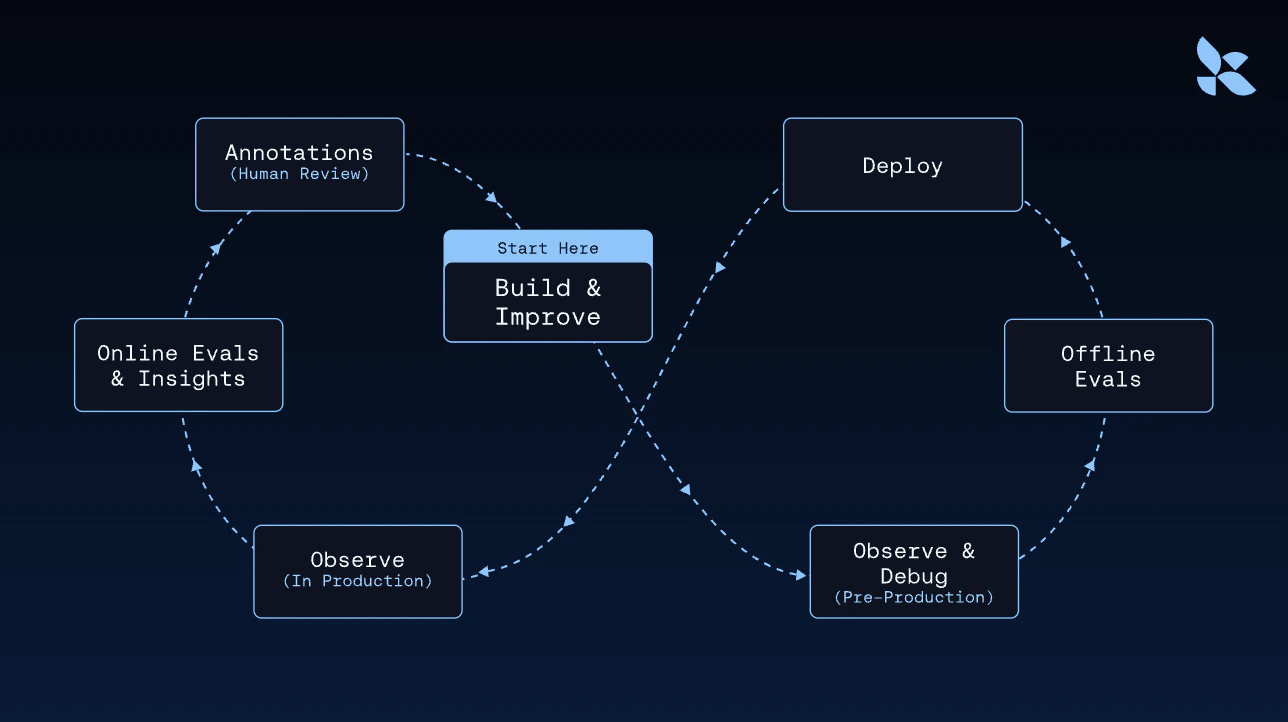
LangSmith 将可观测性、评估、部署和平台设置整合在一个集成的工作流程中——从本地开发到生产环境。
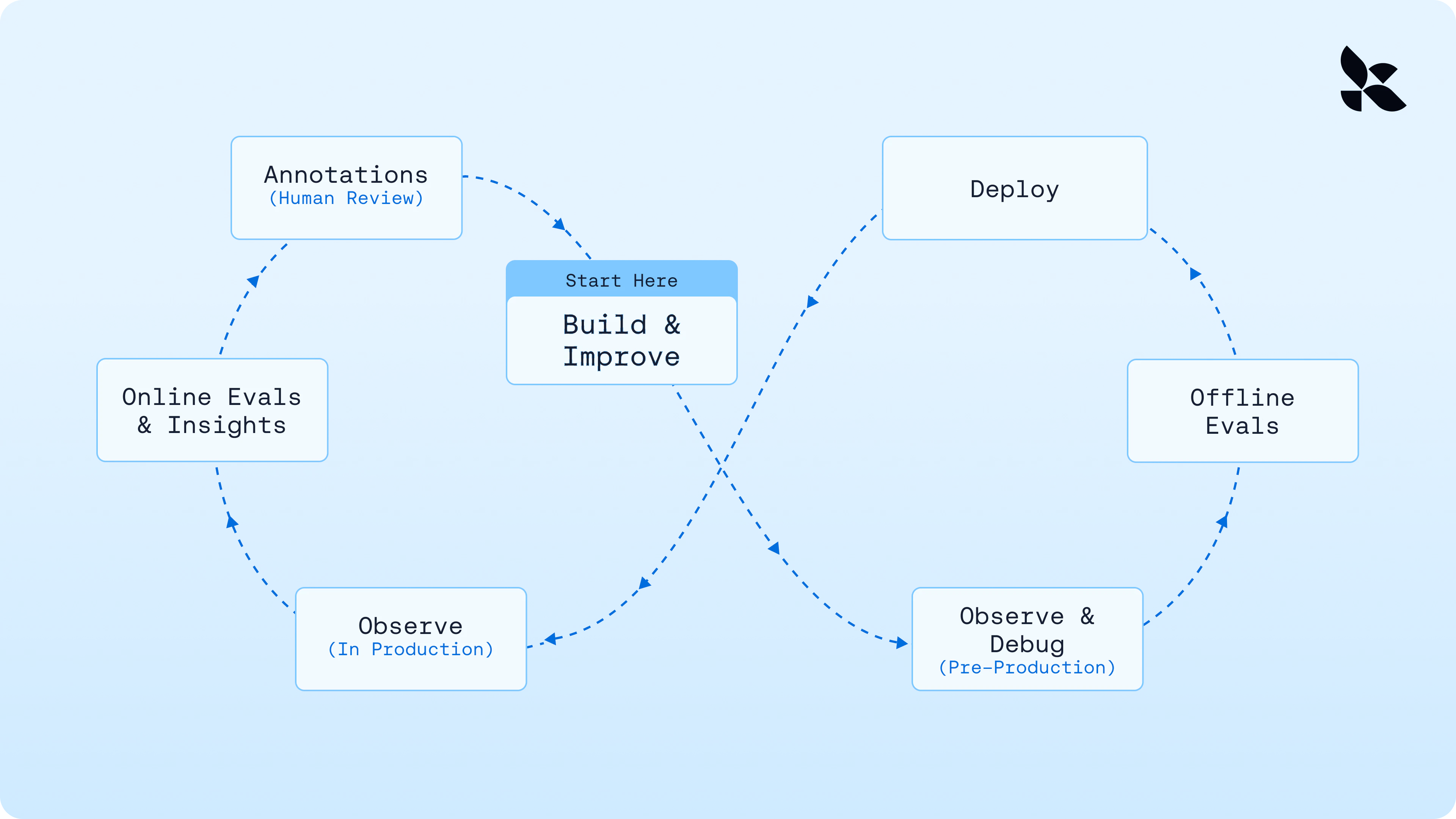
<img className="block dark:hidden" src="https://mintcdn.com/other-405835d4/nkZZLBmqs0thYYbQ/langsmith/images/overview-light.png?fit=max&auto=format&n=nkZZLBmqs0thYYbQ&q=85&s=8d7a769adbc14aa3a5f4d7b17a8ef21c" alt="图表展示了 LangSmith 如何在从开发到生产的单一工作流程中集成可观测性、评估、部署和平台设置。" width="3840" height="2160" data-path="langsmith/images/overview-light.png" />

<img className="hidden dark:block" src="https://mintcdn.com/other-405835d4/nkZZLBmqs0thYYbQ/langsmith/images/overview-dark.png?fit=max&auto=format&n=nkZZLBmqs0thYYbQ&q=85&s=250a0883c51e6dac5b3d2210bc8042cd" alt="图表展示了 LangSmith 如何在从开发到生产的单一工作流程中集成可观测性、评估、部署和平台设置。" width="1288" height="722" data-path="langsmith/images/overview-dark.png" />

***

<div className="source-links">
  <Callout icon="terminal-2">
    [连接这些文档](/use-these-docs) 到 Claude、VSCode 等，通过 MCP 获取实时答案。
  </Callout>

  <Callout icon="edit">
    [在 GitHub 上编辑此页面](https://github.com/langchain-ai/docs/edit/main/src/langsmith/home.mdx) 或 [提交问题](https://github.com/langchain-ai/docs/issues/new/choose)。
  </Callout>
</div>