> ## Documentation Index
> Fetch the complete documentation index at: https://cndoc-langchain.site/llms.txt
> Use this file to discover all available pages before exploring further.
# 如何在UI中筛选实验
LangSmith允许您通过反馈分数和元数据筛选之前的实验,从而轻松找到您关心的实验。
## 背景:为实验添加元数据
在SDK中运行实验时,您可以附加元数据,以便在UI中更轻松地筛选。如果您在运行实验时知道想要深入分析的维度,这将非常有用。
在我们的示例中,我们将围绕使用的模型、模型提供商和已知的提示ID为实验附加元数据:
```python theme={"theme":{"light":"catppuccin-latte","dark":"catppuccin-mocha"}}
models = {
"openai-gpt-5.4": ChatOpenAI(model="gpt-5.4", temperature=0),
"openai-gpt-5.4-mini": ChatOpenAI(model="gpt-5.4-mini", temperature=0),
"anthropic-claude-3-sonnet-20240229": ChatAnthropic(temperature=0, model_name="claude-3-sonnet-20240229")
}
prompts = {
"singleminded": "always answer questions with the word banana.",
"fruitminded": "always discuss fruit in your answers.",
"basic": "you are a chatbot."
}
def answer_evaluator(run, example) -> dict:
llm = ChatOpenAI(model="gpt-5.4", temperature=0)
answer_grader = hub.pull("langchain-ai/rag-answer-vs-reference") | llm
score = answer_grader.invoke(
{
"question": example.inputs["question"],
"correct_answer": example.outputs["answer"],
"student_answer": run.outputs,
}
)
return {"key": "correctness", "score": score["Score"]}
dataset_name = "Filterable Dataset"
for model_type, model in models.items():
for prompt_type, prompt in prompts.items():
def predict(example):
return model.invoke(
[("system", prompt), ("user", example["question"])]
)
model_provider = model_type.split("-")[0]
model_name = model_type[len(model_provider) + 1:]
evaluate(
predict,
data=dataset_name,
evaluators=[answer_evaluator],
# 在此处添加元数据!!
metadata={
"model_provider": model_provider,
"model_name": model_name,
"prompt_id": prompt_type
}
)
```
## 在UI中筛选实验
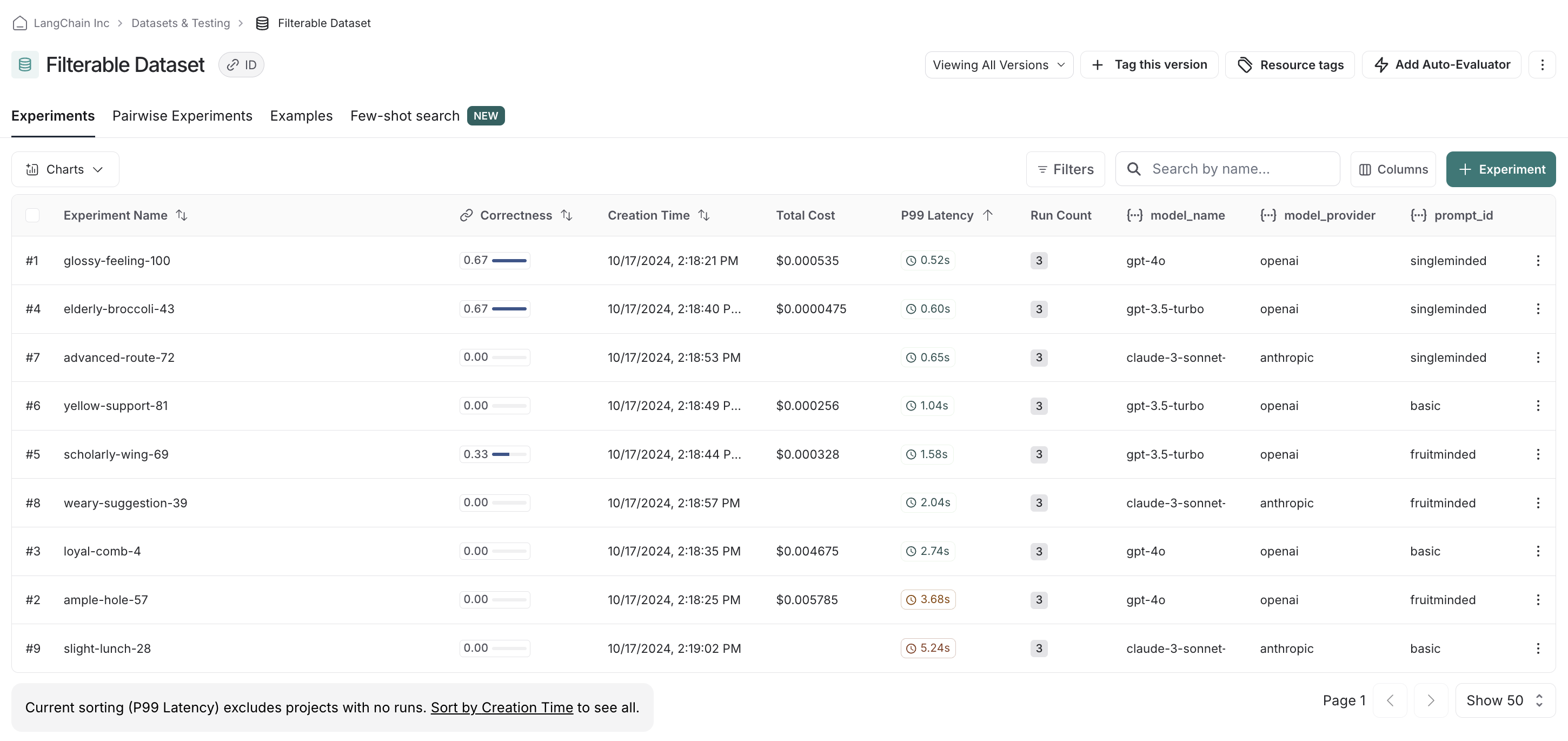
在UI中,默认情况下我们会看到所有已运行的实验。
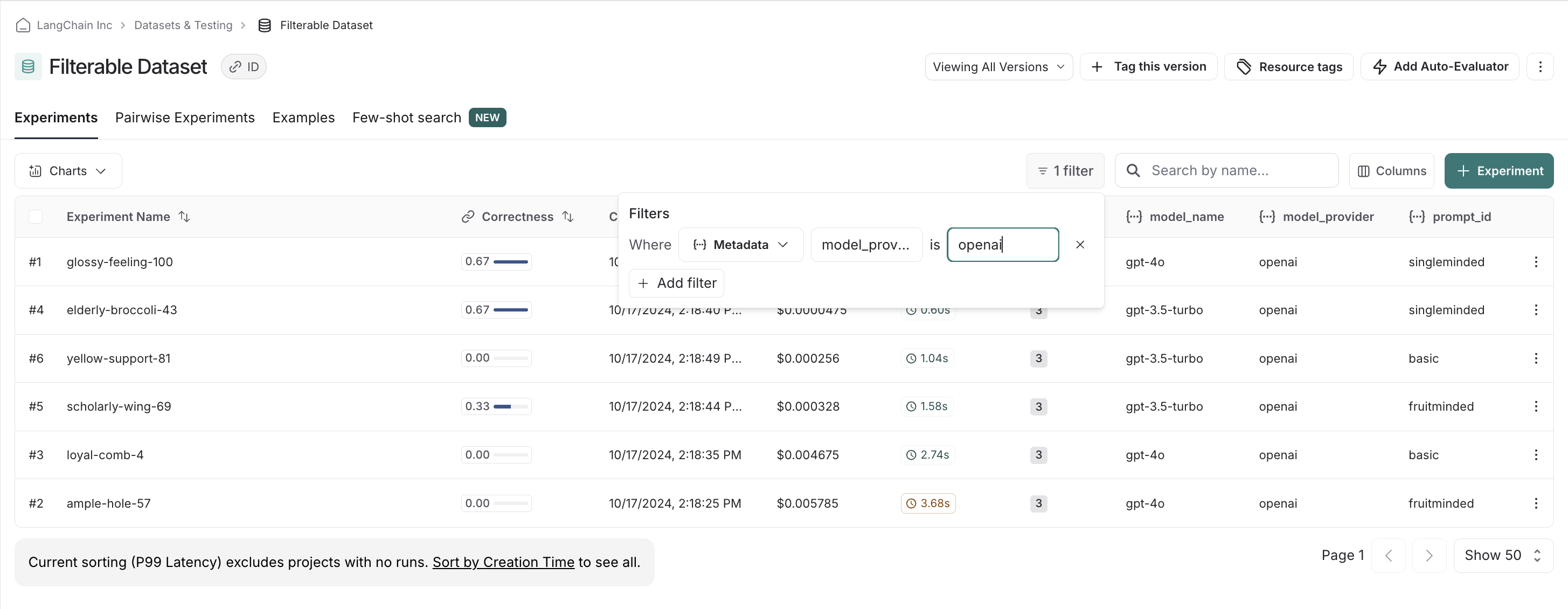
 例如,如果我们偏好openai模型,可以轻松筛选并首先查看仅openai模型的分数:
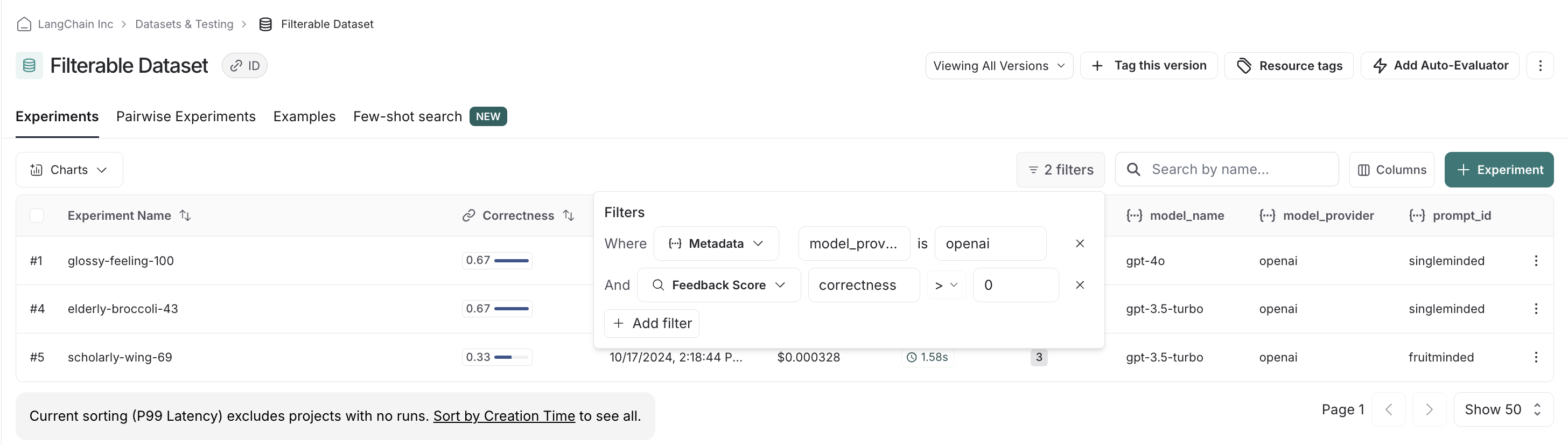
 我们可以叠加筛选条件,从而过滤掉正确性得分较低的实验,确保只比较相关的实验:
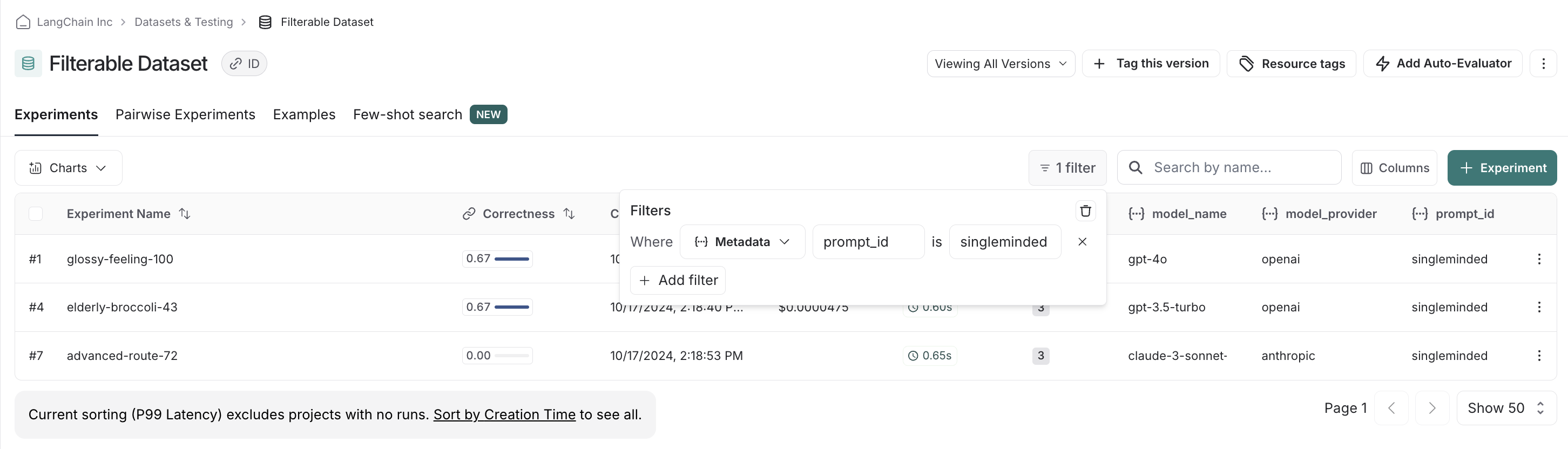
 最后,我们可以清除并重置筛选条件。例如,如果我们发现`singleminded`提示有明显的优势,可以更改筛选设置,查看其他模型提供商的模型是否也能很好地配合使用:
 ***
***
[连接这些文档](/use-these-docs)到Claude、VSCode等,通过MCP获取实时答案。
[在GitHub上编辑此页面](https://github.com/langchain-ai/docs/edit/main/src/langsmith/filter-experiments-ui.mdx)或[提交问题](https://github.com/langchain-ai/docs/issues/new/choose)。